

₹16,499.00
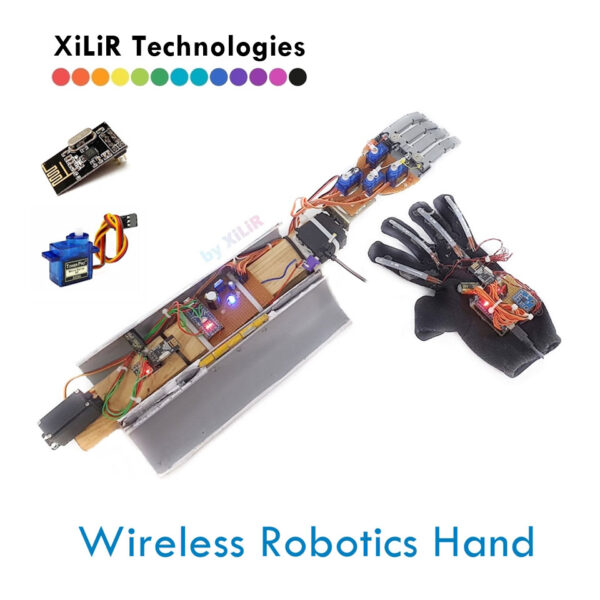
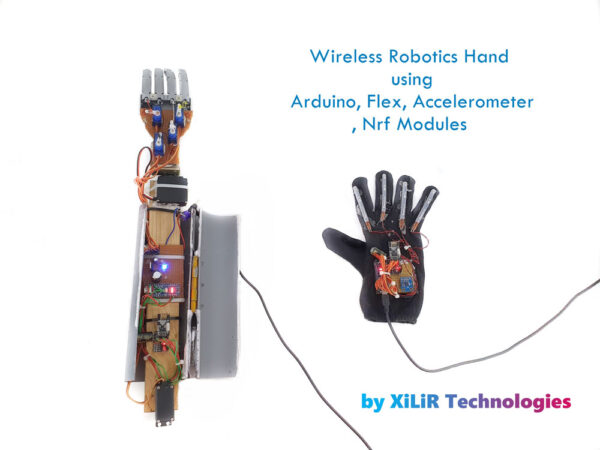
The project combines the precision and dexterity of a robotic hand with the flexibility of wireless communication to enable users to remotely operate the robotic hand from a distance.
DESCRIPTION
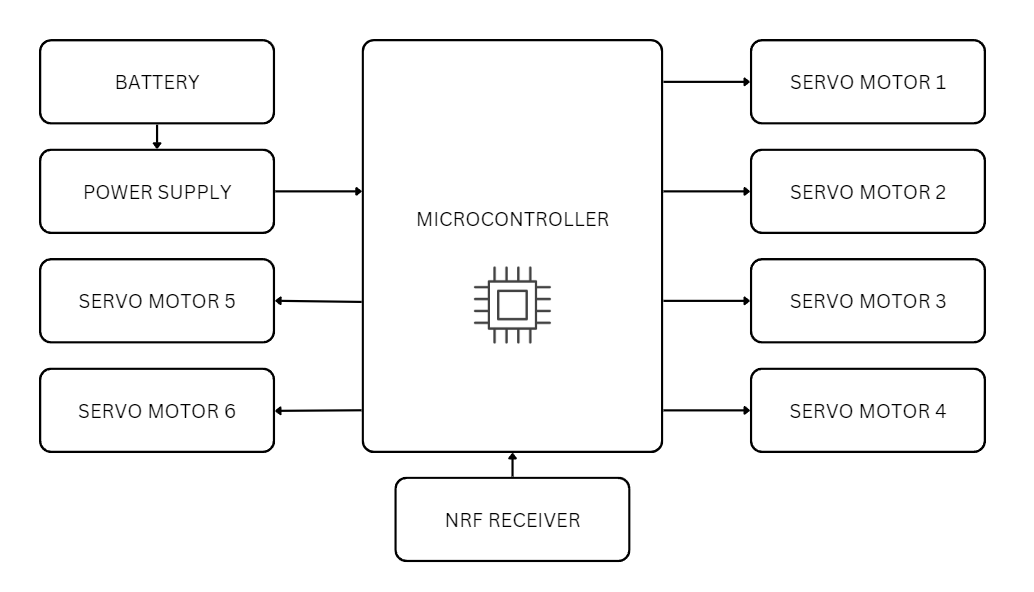
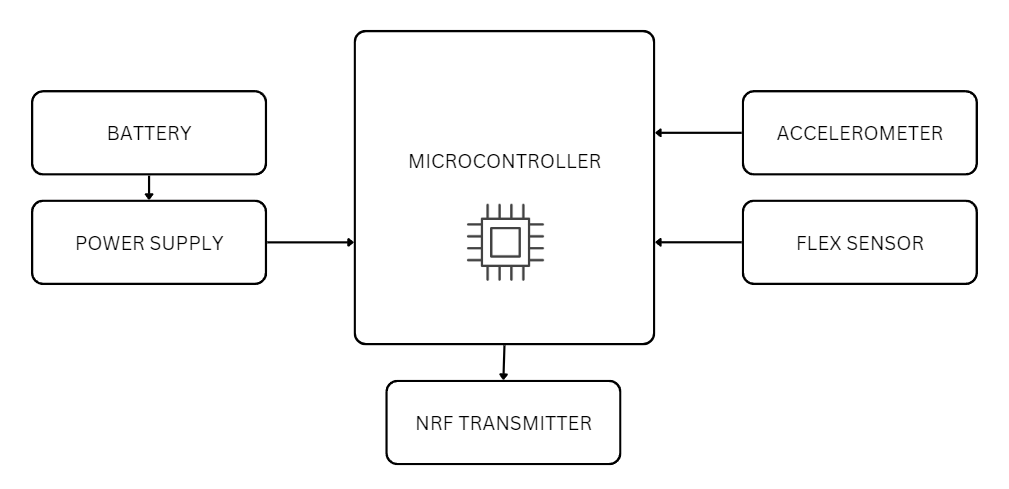
BLOCK DIAGRAM
(RECEIVER) :-
(TRANSMITTER) :-
HARDWARE COMPONENTS
SOFTWARE
———————————————————————–
Get the full working project with components, code, diagrams & explanation.
No branding on project, handmade look for students, and different styles as required by students.
To Buy/ Make this project with training
Contact us:
👨🏼🏭𝗩𝗶𝗽𝗶𝗻 𝗞𝘂𝗺𝗮𝗿 𝗦𝗵𝗮𝗿𝗺𝗮
Ph.D., M.Tech, B.Tech in ECE
🎓Lecturer 🚀#Researcher #Drone #Robotics
WhatsApp : https://wa.me/919810326343
✅🔥Follow us on
▶️YouTube 👥 Facebook 🐤 Twitter 📸 Instagram👨🏻🎓 LinkedIn
𝗔𝗯𝗼𝘂𝘁 𝗨𝘀 :
𝗫𝗶𝗟𝗶𝗥 𝗧𝗲𝗰𝗵𝗻𝗼𝗹𝗼𝗴𝗶𝗲𝘀™ is India’s 🔖Top rated & Leading R&D Company. It’s an ISO 9001:2008 Certified Company & Govt Approved under MCA & it was established in 2012.
Students can enhance or modify this project based on college syllabus, guide instructions, or personal interest.
Customizations help improve innovation, marks, and practical understanding.
Available Customization Options:
🌐 IoT/ AI/ ML Integration ( ThingSpeak, Blynk, Firebase, Web Dashboard etc. )
☀️ Solar Power Integration
🤖 Machine Learning / AI Modules
📡 GPS & GSM Based Tracking / Alerts
📟 Additional Sensors (as per application)
📲 Mobile App / Web Monitoring
📊 Advanced Data Logging & Graphs
⚙️ Hardware & Software Feature Modifications
🎯 Customization as per College or Guide Requirement
If you need any additional feature or modification,
📞 Contact us on WhatsApp and share your requirement.
Early Project Booking Recommended
Early Project Booking – Strongly Recommended
Students are advised to book their final year or semester project early, even with just a title or brief idea. Early booking helps us reserve your preferred topic, start documentation, diagrams, code planning, and component preparation in advance, and provide timely academic guidance.
You will receive complete documentation (abstract, report, block diagram, circuit, code explanation) well before submission. The working hardware kit will be delivered as per your college schedule. PPTs for reviews, viva, or seminars will be prepared on request.
Book early → Stay stress-free → Focus on learning.
Contact us with just the project title—we’ll handle the rest.
https://www.youtube.com/watch?v=qVod3siZ1j8
https://www.youtube.com/watch?v=qVod3siZ1j8



Reviews
There are no reviews yet.